
Projects / Home automation
Presence-Based Room Lighting
Lights that stay on while you sit still — and only when the room is dark.
Overview
PIR sensors switch the lights off when you sit still at a desk. The ET-S06 carries the Hi-Link LD2410C 24 GHz radar, which detects breathing-level micro-movement, so the room stays lit while someone is in it.
The ET-S03 lux sensor stops the lights from coming on in daylight. The ESP32 combines both and switches an output after a short off-delay.
- Detects still people, not just motion
- Lights only below a lux threshold
- Adjustable off-delay
- Output for a relay or LED-strip MOSFET module
What you need
ElectroTrical boards
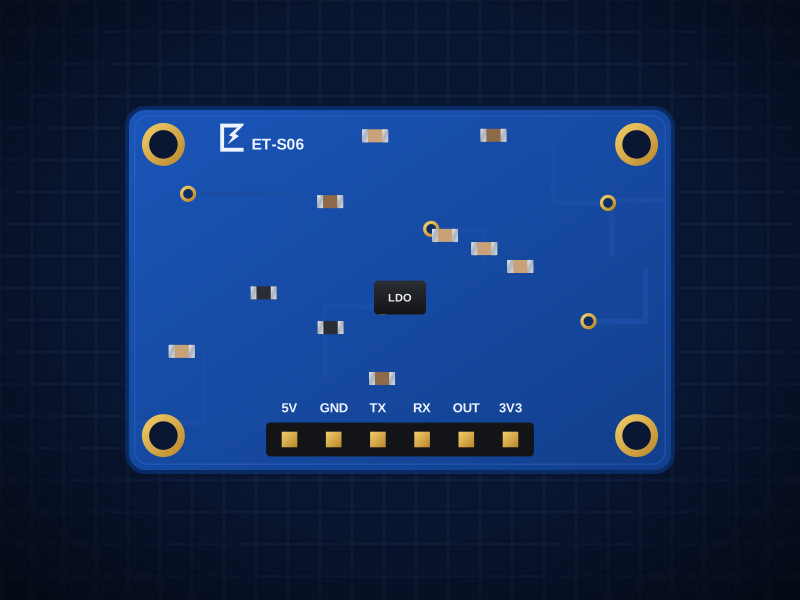
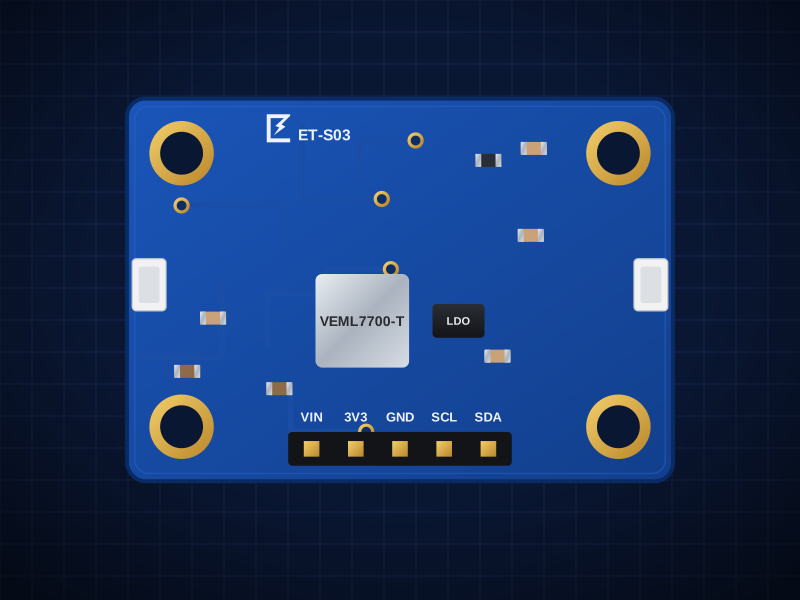
Boards total: AED 30.00
These boards are being manufactured. Open a board's page to see when it's back, or ask us about a kit.
You'll also need
- ESP32-S3 DevKitC-1 (or any ESP32-S3 board) with a USB-C data cable. Not sold by ElectroTrical.
- Hi-Link LD2410C radar module (fits the ET-S06 carrier)
- A 3.3 V-logic relay module or logic-level MOSFET module for your lamp or 12 V LED strip
- Jumper wires
Wiring
Mains lamps: use a certified relay module in a closed enclosure, or a smart plug. If you are not trained to work with 230 V, control a 12 V LED strip instead.
ESP32 → ET-S06 (radar)
| From | To | Note |
|---|---|---|
| ESP32 5V | 5V | 5.0–5.5 V only |
| ESP32 GND | GND | |
| ESP32 GPIO5 | OUT | High = person present |
| ESP32 GPIO18 (RX) | TX | Optional: distance and energy data |
| ESP32 GPIO17 (TX) | RX | Optional |
ESP32 → ET-S03 (light)
| From | To | Note |
|---|---|---|
| ESP32 3V3 | VIN | VIN sets the I²C logic level. Keep it at 3.3 V for the ESP32. |
| ESP32 GND | GND | |
| ESP32 GPIO8 | SDA | |
| ESP32 GPIO9 | SCL |
Output
| From | To | Note |
|---|---|---|
| ESP32 GPIO6 | Relay / MOSFET module IN | |
| ESP32 GND | Module GND |
Build it
- 01
Fit the radar module
Plug the LD2410C into the ET-S06 carrier. The radar sees through plastic but not metal — don't put it in a metal box.
- 02
Wire and power
Wire as in the tables. The radar needs 5 V; the ESP32's 5V pin supplies it when the ESP32 is on USB.
- 03
Set up the Arduino IDE
Install Arduino IDE 2, add the Espressif ESP32 board package (Boards Manager → “esp32” by Espressif), select “ESP32S3 Dev Module” and turn on USB CDC On Boot so Serial prints over USB. Install the libraries listed above the sketch from Library Manager.
- 04
Set the lux threshold
Watch the lux value in Serial Monitor at dusk and set DARK_LUX to the point where you'd want the light on.
- 05
Aim the sensor
Mount it at 1–2 m height facing the seating area. Avoid pointing it at fans, curtains or AC vents, which can look like movement.
- 06
Fine-tune (optional)
Hi-Link's free HLKRadarTool phone app connects to the LD2410C over Bluetooth to set range gates and sensitivity.
Arduino code
Written for the ESP32-S3 DevKitC-1 with the Espressif Arduino core. Install these libraries from the Arduino Library Manager:
- Adafruit VEML7700 Library
#include <Wire.h>
#include <Adafruit_VEML7700.h>

const int   PRESENCE_PIN = 5;     // ET-S06 OUT
const int   LIGHT_PIN    = 6;     // relay / MOSFET module
const float DARK_LUX     = 80;    // turn on below this
const unsigned long OFF_DELAY_MS = 60 * 1000UL;

Adafruit_VEML7700 veml;
bool lightOn = false;
unsigned long lastSeen = 0;

void setup() {
  Serial.begin(115200);
  pinMode(PRESENCE_PIN, INPUT);
  pinMode(LIGHT_PIN, OUTPUT);
  digitalWrite(LIGHT_PIN, LOW);
  Wire.begin(8, 9);
  if (!veml.begin()) Serial.println("VEML7700 not found");
}

void loop() {
  bool present = digitalRead(PRESENCE_PIN);
  float lux = veml.readLux();
  if (present) lastSeen = millis();

  if (!lightOn && present && lux < DARK_LUX) {
    lightOn = true;                       // check lux only before switching on,
  }                                       // so our own lamp can't switch itself off
  if (lightOn && millis() - lastSeen > OFF_DELAY_MS) {
    lightOn = false;
  }
  digitalWrite(LIGHT_PIN, lightOn);

  Serial.printf("present=%d lux=%.0f light=%s\n", present, lux, lightOn ? "ON" : "off");
  delay(500);
}
Troubleshooting
Light never turns off
Something is moving in range (fan, curtain). Reduce the max range gate in HLKRadarTool or re-aim the sensor.
OUT is always low
Check the radar has 5 V and that the LD2410C is seated the right way round on the carrier.
Light switches off when the lamp turns on
The sketch only checks lux before switching on. If you changed that logic, keep the lux check out of the off-condition.
Take it further
- Read distance and energy over UART for zone control (desk vs sofa)
- Use ESPHome's ld2410 component to expose presence to Home Assistant
- Add the ET-S34 PIR carrier at the door for a faster first trigger
Turning this into a product?
We design custom boards that combine these sensors on one PCB, with firmware and production.